Restaurant
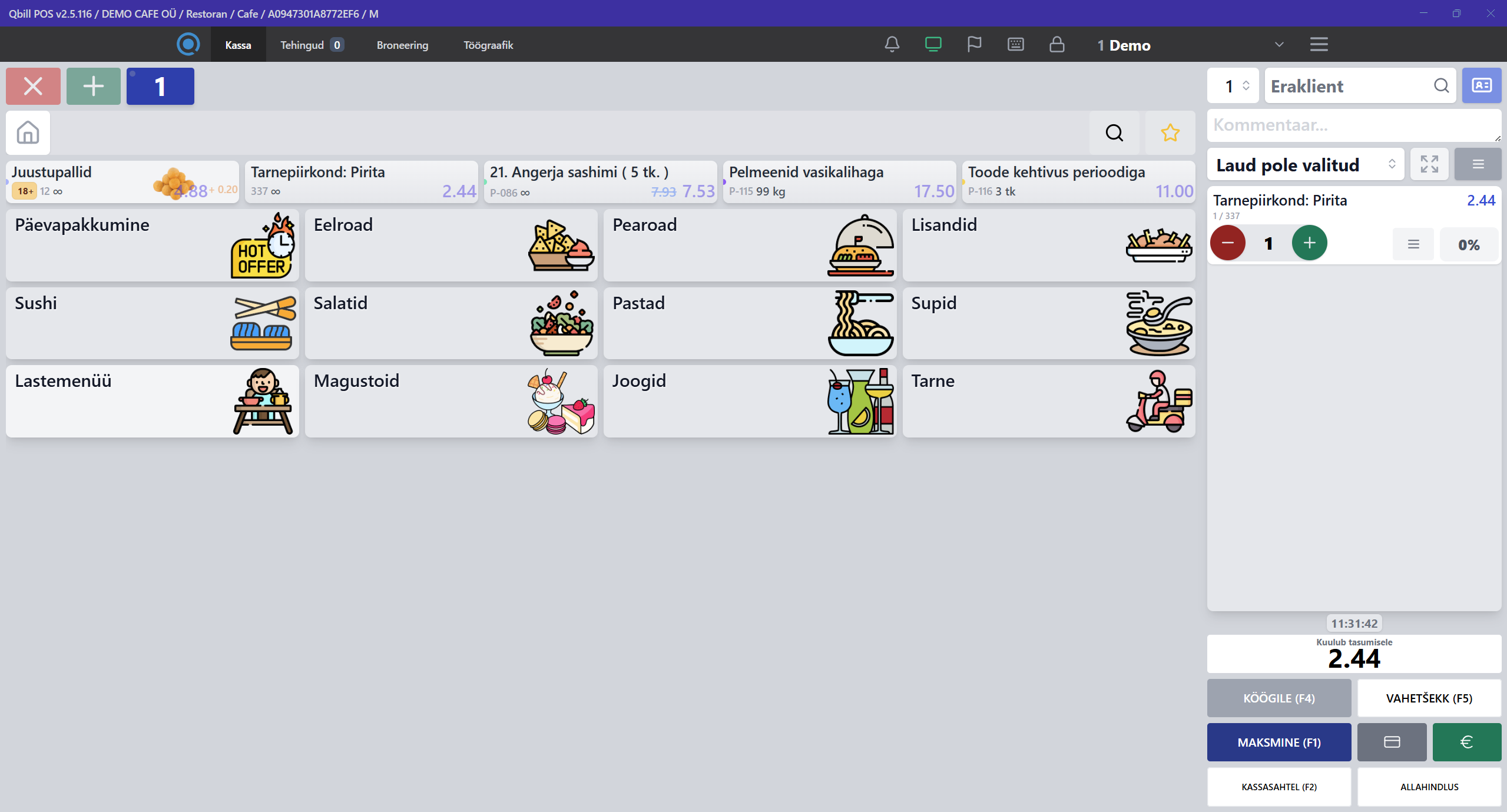
Merge/move tables, delivery management, split bill, courses.
- Menu with modifiers and semi-finished items
- Kitchen printers
- Reservation register
Qbill POS
Ready-to-use POS for restaurants, cafes, bars, retail and food trucks. Fast checkout - print & pay in one tap. Analytics and inventory in one system.
Who it’s for
Set up workflows for your format. Presets, quick buttons, modifiers and discounts - without complex setup.
Merge/move tables, delivery management, split bill, courses.
Quick sets, happy hours, 2-for-1 promos, loyalty and prepayments.
Alcohol categories and limits, inventory checks and write-offs.
Barcodes, scales, size variants, returns, price changes and labels.
Mobile POS without internet - offline mode with later sync. Compact printers and terminals.
Fixed-price services, gift cards, prepayments, quick invoices.
Features
Speed up checkout and simplify accounting. The Base plan covers day-to-day POS operations, while the Extended plan adds Hollapp online features.
Sell in 2-3 clicks: search, add, pay.
ESC/POS printers, kitchen tickets, logging and reprints.
Integration with Ingenico card terminals*.
* Availability depends on your acquirer.
Stock in/out, recipes, balances, transfers, counts.
Revenue, margin, shift comparison, Excel/CSV export.
Roles, PINs, activity log, discount limits, safe offline.
Guests can open the menu via QR code without installing an app. Available in the Extended plan.
A dedicated page with your menu, offers and contacts. Available in the Extended plan.
Table reservations and convenient management in one system. Available in the Extended plan.
Product demo
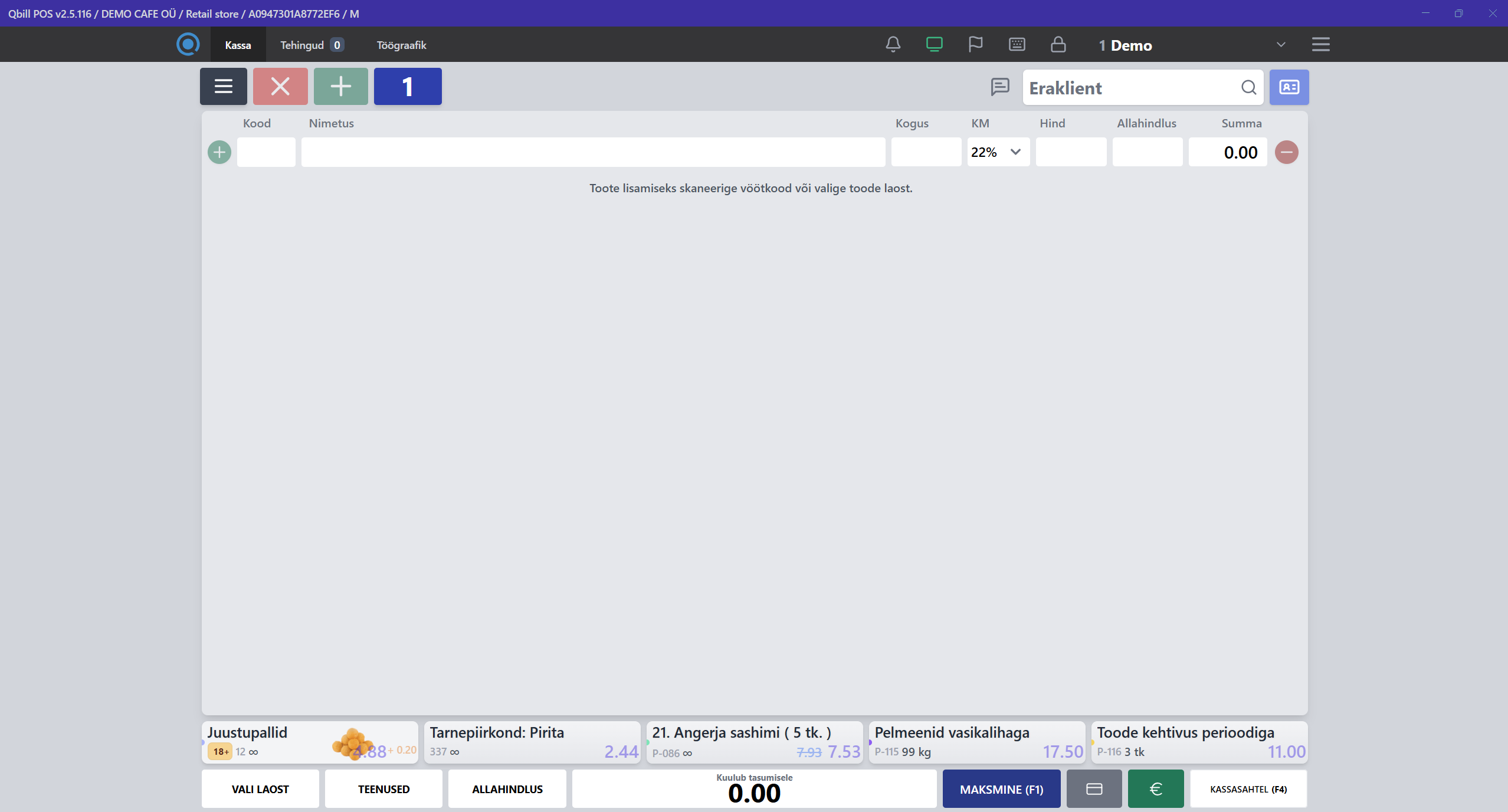
Screens: fast checkout, items and modifiers.
Migration & comparison
Migrate smoothly without stopping sales.
Hardware & integrations
Works with popular receipt printers, scanners, scales and card terminals. Step-by-step setup with tips in the UI.
Requires a Windows 10/11 computer.
ESC/POS: USB, Ethernet, Serial. Kitchen and front printers.
Ingenico: purchase, cancel, refund, contactless. Card ID reading.
Barcodes, QR, PLU scales. Quick calibration and templates.
Note: availability depends on your country and acquirer.
Plans
The Base plan costs €39/month, and the Extended plan costs €55/month.
For fast launch and daily POS operations.
For venues that need Hollapp online features.
Plans include certain limits. If needed, limits and features can be extended for an additional fee.
Questions & answers
Contact
Leave a request - we’ll tailor the configuration to your business and show how Qbill speeds up work in the first week.